
The short answer
DIRECT ANSWER
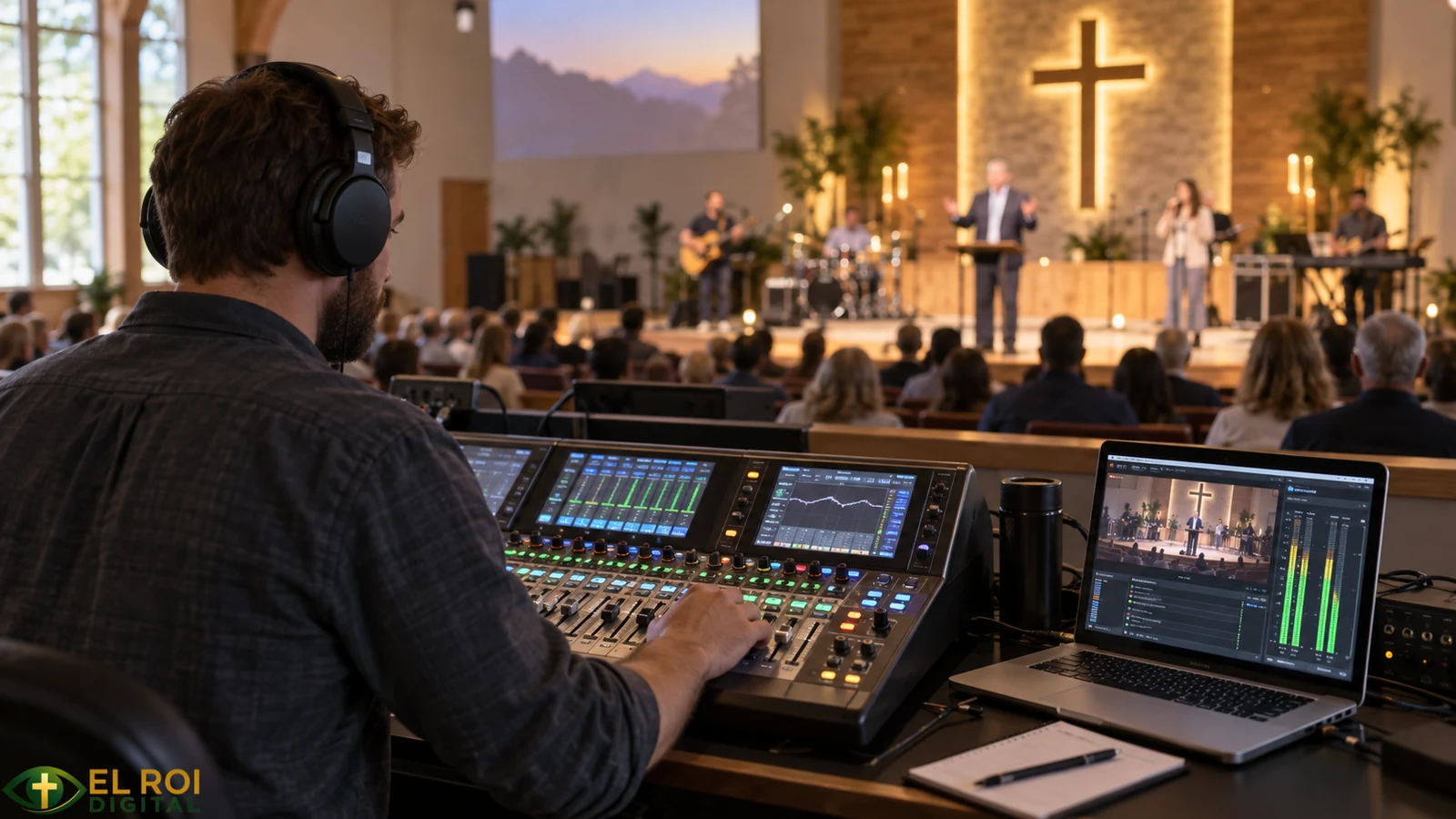
Church livestream audio improves most when the broadcast is treated as its own mix rather than an accidental copy of the room mix. Use an appropriate microphone or DI, set gain with headroom, route sources to a dedicated stream mix, monitor through headphones and a small consumer speaker, and repeat the same soundcheck every week. Clear practice usually matters more than expensive gear. [1, 4, 7, 8]
People in the sanctuary hear loudspeakers, unamplified voices and instruments, and the natural room at the same time. Online viewers hear only the signal that reaches the encoder. A console feed can be a useful starting point, but it is not proof of a usable broadcast mix. Speech must remain intelligible, music balanced, transitions audible, and the signal protected from clipping, feedback, excessive room sound, and avoidable noise.
This is a technical ministry issue. Clear audio helps people participate in worship and follow Scripture, prayer, teaching, and announcements. The goal is not the most expensive equipment. The goal is a signal path volunteers understand, a room and microphone plan that support intelligibility, and a repeatable process the church can sustain.
Start with the signal path
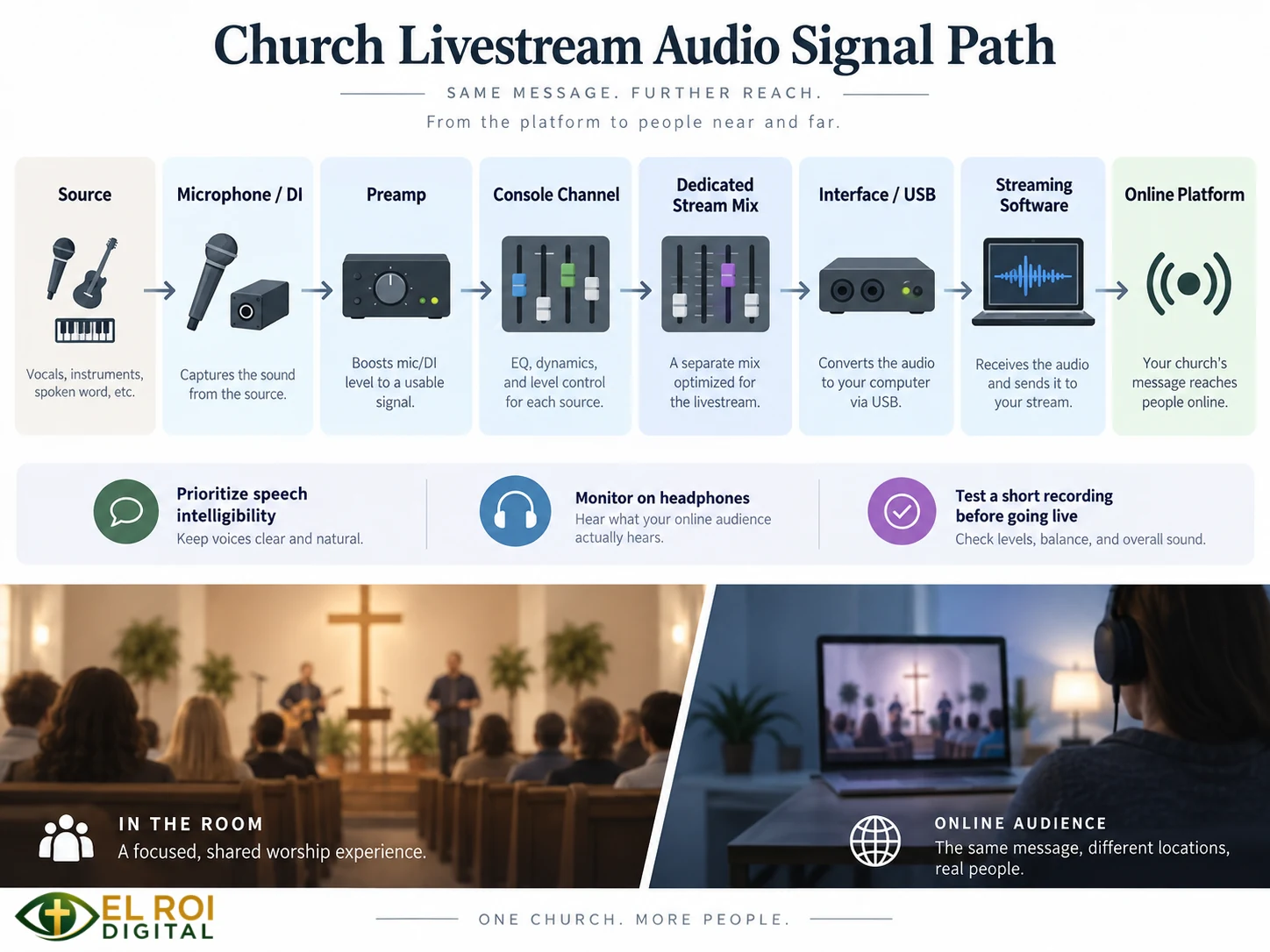
Map the complete path before buying equipment or changing settings. Every stage can introduce gain errors, noise, routing mistakes, latency, or failure points. A practical map looks like this:
SIGNAL PATH
Source -> microphone or DI -> preamp -> console channel -> dedicated mix bus -> matrix/output, if used -> USB or audio interface -> streaming software -> platform [1, 4, 8]
Label inputs and outputs, name the stream bus clearly, and keep a one-page diagram at the booth. On many consoles, an aux or mix bus can create a channel-by-channel broadcast mix. A matrix usually combines buses or finished mixes; it does not automatically create an independent channel mix. Routing, tap points, sample rates, and USB behavior vary by console, expansion card, interface, and firmware, so the exact product manual remains the controlling source.
Document the signal at each handoff. A volunteer should be able to answer: Which output leaves the console? What receives it? Where is level adjusted? What does the streaming computer meter show? Which device is responsible for audio-video synchronization?
Choose microphones by source, pattern, and placement
Choose a microphone for the source and the room, not by a blanket dynamic-versus-condenser rule. Pickup pattern, off-axis response, sensitivity, distance, performer movement, loudspeaker location, and room reverberation all affect the result. The word dynamic does not guarantee isolation, and a condenser is not automatically the better or more detailed choice. Shure likewise frames microphone selection and placement as a balance among desired pickup, rejection of unwanted sound, and gain before feedback. [6, 7]
For a pastor who moves, a properly fitted headset or earset can keep the mouth-to-microphone distance more consistent. Handheld microphones can work well when speakers maintain steady distance and angle. Lectern microphones require careful placement and may pick up more room sound when the speaker stands too far away. Choirs and acoustic instruments often need a placement plan tailored to the room rather than a copied internet diagram.
Condenser microphones may require phantom power or another powering method; verify the exact model before enabling it. DI boxes can provide a balanced connection and help match instruments to the console input, but grounding and electrical-safety decisions should follow the device manual and qualified local practice. Never defeat protective earth as a troubleshooting shortcut.
Set gain before adding processing
Set the preamp so the loudest expected source has useful level and reliable headroom. Do not use the master fader to hide a badly gained input. A practical order is:
- Mute or lower monitors when the situation requires it, and isolate the source being checked.
- Ask the speaker or musician to perform at the level expected during the service, not at a quiet rehearsal level.
- Set input gain conservatively while watching the meter at the correct point in the signal path.
- Use a high-pass filter only when the source and listening test justify it.
- Apply equalization and compression conservatively after the raw signal is healthy.
- Verify downstream meters, then listen to the broadcast mix on headphones and a small consumer speaker.
Once an earlier stage clips, lowering a later fader does not restore the lost waveform. Compression can reduce level swings, but it cannot make a reverberant room intelligible or repair clipped audio. Equalization should begin with the source, microphone placement, and room or system problems; large boosts can consume headroom and may increase feedback risk. [1, 4, 6, 8]
ABOUT LOUDNESS TARGETS
Do not treat one online LUFS number or limiter ceiling as universal. If the church adopts a loudness target, measure the complete program with a documented workflow and confirm the result by listening. AES AESTD1008.1.21-9 addresses streaming loudness and peak control, while ITU-R BS.1770-5 defines the current in-force loudness and true-peak measurement algorithm. Platform behavior and program dynamics still matter. [9, 10]
Mix for the people online
The broadcast mix should normally prioritize speech intelligibility. Keep the pastor, reader, prayer leader, and key announcements present without making them unnaturally loud. Music needs enough warmth, space, and energy to feel like worship, but not so much that lyrics, spoken transitions, or Scripture disappear.
When the console allows it, build a dedicated stream mix bus. A matrix can then route or combine that finished mix with other buses, such as carefully controlled ambience, depending on the console design. If the console cannot create a separate mix, route the available feed deliberately and understand the compromise. A room mix often underrepresents sources that are already loud in the sanctuary and overrepresents close microphones that exist mainly for reinforcement.
Do not trust meters alone. Meters can warn about signal and clipping, but they cannot judge intelligibility, phase problems, harshness, excessive reverberation, or listener fatigue. OBS documents both metering and source monitoring; the church should also record a short private test and listen before going live. [8]
Monitor through headphones and at least one small consumer speaker. Periodically ask a trusted remote listener whether speech is clear, music is balanced, and transitions are audible. A modest amount of audience or room ambience can help online viewers feel connected, but ambience microphones can also add reverberation, HVAC noise, and conversations. Use them sparingly and mute or lower them when pastoral privacy requires it.
Manage acoustics, latency, and wireless systems
Reflective walls and long reverberation times reduce speech clarity. Better microphone placement, closer speech microphones, controlled loudspeaker coverage, and appropriate acoustic treatment may help more than another plug-in. Thin decorative materials do not provide equal absorption at all frequencies, and a room treatment plan should be based on the actual space. [2, 3, 5, 6]
The stream also introduces capture, processing, encoding, and platform delay. Check audio-video synchronization with a local test recording and the platform preview. Apply delay offsets only after measuring the mismatch, and recheck after software, interface, or routing changes. Do not send a delayed platform return back into the sanctuary sound system, where it can create distracting echoes.
Wireless microphone and in-ear systems require local coordination. Confirm each device's legal tuning range, scan at the venue, coordinate all active systems, and keep a reliable wired backup. In the United States, FCC rules and permitted operations vary by band, device class, and user status. A frequency list copied from another church cannot establish that the same channels are legal or interference-free at your location. [12]
Train volunteers for repeatability
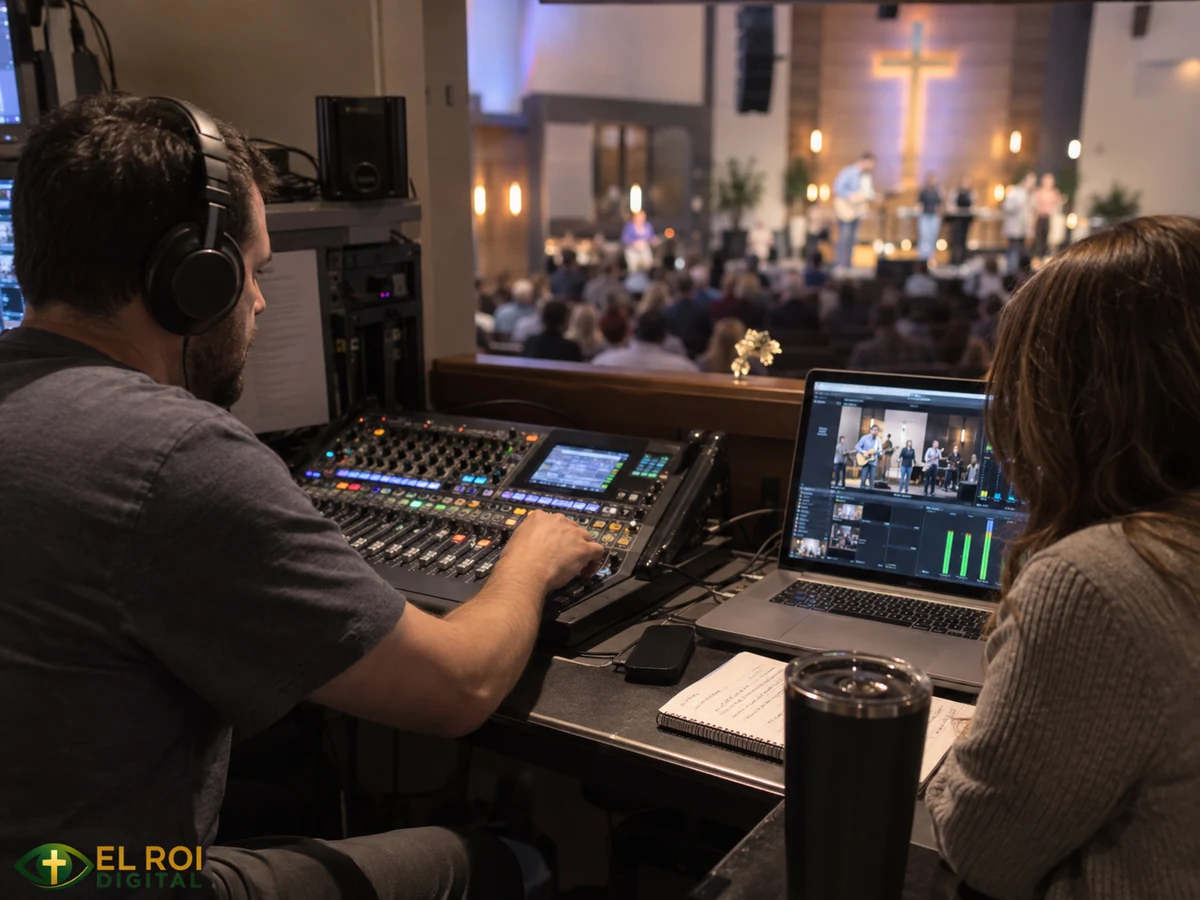
A technically capable system can still fail when no one knows the workflow. Give volunteers a one-page service plan that identifies who starts the stream, who monitors audio, who watches captions or chat, what happens if the feed fails, and who has authority to mute a damaged or confidential channel.
Train by symptoms, not only by button names. A volunteer should learn to distinguish a muted source, dead battery, damaged cable, incorrect bus assignment, failed interface, computer input problem, platform outage, and actual emergency. Save console scenes carefully, but teach volunteers that a recalled scene does not replace a soundcheck.
Suggested starting points
| Church situation | Sensible starting point | Primary risk |
|---|---|---|
| One speaker, simple worship | Existing digital console, close speech microphone, dedicated mix bus or deliberate USB feed, headphones, and a short test recording. | Assuming the room mix automatically translates. |
| Several wireless microphones | Labeled inputs, venue RF scan and coordination, fresh batteries, trained gain operator, and a wired backup. | Interference, dropouts, open microphones, and feedback. |
| Music-heavy service | Dedicated broadcast mix, trained operator, headphones plus a small speaker, and carefully controlled ambience. | Music masking speech or a lifeless direct feed. |
| Small volunteer team | Fewer sources, simple routing, dependable wired paths, saved scenes, and a written checklist. | Complexity that no one can operate consistently. |
Brands and models are intentionally omitted from this table. Before purchasing, confirm compatibility, driver and operating-system support, warranty, power requirements, connector types, channel count, local service availability, and the exact workflow your volunteers can support.
Accessibility, copyright, and privacy
Captions and transcripts
Captions and transcripts can materially improve access, but automatic captions should be monitored and corrected for names, Scripture references, theological terms, music identification, and speaker changes. WCAG 2.2 distinguishes prerecorded captions under Success Criterion 1.2.2 from live captions under Success Criterion 1.2.4. WCAG is a technical standard; legal duties vary by jurisdiction and organization. If the church claims conformance, identify the level and criteria being claimed and verify both the live and archived workflows. [11]
Music and media rights
In the United States, 17 U.S.C. Section 110(3) exempts certain performances and displays during services at a place of worship, but the statute's legislative notes explain that the exemption does not extend to religious broadcasts or other transmissions to the public at large. Livestreaming therefore requires a separate review of the songs, lyrics, arrangements, sound recordings, videos, images, platform, and archive practices actually used. [13]
Confirm the church's current streaming, lyric-display, reproduction, synchronization, master-recording, platform, and archive permissions. CCLI licenses cover only the catalogs and uses included in the church's current agreement; they do not automatically clear every song, recording, video, or future reuse. This article provides general information, not legal advice. [14]
Camera notice and pastoral privacy
Post clear notice that services may be livestreamed or recorded. Where practical, provide a camera-free seating option and a way to request removal from an archive. Use documented church policy and appropriate consent practices before prominently featuring children, vulnerable adults, prayer recipients, counseling situations, baptisms, communion, or personal testimony. Establish retention, takedown, confidentiality, and safeguarding rules before publishing archives. Local leadership and qualified counsel should review situations that create legal or pastoral risk.
AI and ministry boundaries
AI can help organize a soundcheck checklist, summarize a manufacturer manual supplied by the church, compare documented specifications, draft volunteer-training questions, or convert a troubleshooting log into recurring action items. It should not invent electrical or RF guidance, decide whether a person should be recorded, or replace the trained operator's listening. Human leadership remains responsible for privacy, consent, accessibility, safety, and the pastoral atmosphere of worship.
Weekly service-day checklist
- Load the correct console scene and verify input labels, bus assignments, and output routing.
- Check wireless batteries, scan and coordinate RF at the venue, and confirm the wired backup.
- Test every speaking and music source at realistic service level; set preamp gain with headroom.
- Confirm that each intended source reaches the stream mix and that confidential or unused sources do not.
- Listen on headphones and a small consumer speaker; do not rely on sanctuary sound or meters alone.
- Record and review 30 to 60 seconds that includes speech, music, and a transition.
- Check audio-video synchronization, caption operation, channel balance, noise, and clipping.
- Confirm who monitors the stream, who responds to failure, and who may mute a channel.
- Monitor the opening minutes and major transitions, then log any problem before volunteers leave.
- Archive only after confirming the church's permissions, privacy policy, captions, and takedown process.
FINAL PRINCIPLE
A reliable church livestream is not built by a single microphone, mixer, plug-in, or platform. It is built by clear routing, careful listening, documented responsibility, and a volunteer workflow that can be repeated faithfully every week.
Continue learning
These El Roi Digital Ministries resources extend the workflow into broader church streaming, room audio, OBS setup, and volunteer development:
- • How to Live Stream a Church Service — planning, equipment, rehearsal, monitoring, and follow-up
- • Church Audio Systems Guide — room sound, microphones, routing, feedback, and volunteer practice
- • OBS Studio for Church Live Streaming — software setup, scenes, testing, and documentation
- • Training Church Tech Volunteers — role clarity, checklists, cross-training, and sustainable teams
References and further reading
Publication details and live web sources were checked during the final editorial review. Web pages and regulations can change; verify the current version when using them for an operational or legal decision.
- Bartlett, Bruce, and Jenny Bartlett. Practical Recording Techniques: The Step-by-Step Approach to Professional Audio Recording. 7th ed. Routledge, 2016. DOI ↩
- Blesser, Barry, and Linda-Ruth Salter. Spaces Speak, Are You Listening? Experiencing Aural Architecture. MIT Press, 2006. Publisher page ↩
- Everest, F. Alton, and Ken C. Pohlmann. Master Handbook of Acoustics. 7th ed. McGraw Hill, 2022. Publisher page ↩
- Rumsey, Francis. Sound and Recording: Applications and Theory. 8th ed. Routledge, 2021. Publisher page ↩
- Toole, Floyd E. Sound Reproduction: The Acoustics and Psychoacoustics of Loudspeakers and Rooms. 3rd ed. Focal Press, 2017. ↩
- Shure. Microphone Techniques for Live Sound Reinforcement. Educational guide. Official PDF ↩
- Shure. Audio System Guides for Houses of Worship. Accessed October 11, 2026. Official guide ↩
- OBS Project. Audio Mixer Guide. Updated April 3, 2026. Official guide ↩
- Audio Engineering Society. Recommendations for Loudness of Internet Audio Streaming and On-Demand Distribution. AESTD1008.1.21-9, September 24, 2021. AES technical document ↩
- International Telecommunication Union. Algorithms to Measure Audio Programme Loudness and True-Peak Audio Level. Recommendation ITU-R BS.1770-5, November 2023. ITU recommendation ↩
- World Wide Web Consortium. Web Content Accessibility Guidelines (WCAG) 2.2. W3C Recommendation, December 12, 2024. See Success Criteria 1.2.2 and 1.2.4. W3C standard ↩
- Federal Communications Commission. Operation of Wireless Microphones. Consumer guide, updated December 4, 2024. Accessed October 11, 2026. FCC guide ↩
- United States. Copyright Act, 17 U.S.C. Section 110 and historical notes. 2023 edition. U.S. Code ↩
- CCLI. Streaming and Streaming Plus Licenses. Accessed October 11, 2026. Official license page ↩
GENERAL INFORMATION NOTICE
This article is written as general educational guidance for churches. It is not a substitute for the current manual for a specific console, interface, microphone, wireless system, operating system, or streaming platform, and it is not electrical, RF, accessibility, safeguarding, or legal advice.